01 / discover the scope
$ snow-cli --profile dev --read-only --output <format> scope list --kind custom-app
ServiceNow CLI for agents
snow-cli gives developers and terminal-based agents a structured command surface for ServiceNow. Investigate tables, schemas and records, trace instance code, understand most low-code artifacts, and review recent changes without navigating the UI for every question.
brew install ewatch/tap/snow-cli
macOS & Linux · Windows, curl, and other install methods
The agent workflow
A developer asks Claude Code, opencode, pi, or another terminal harness to review a flow. The agent invokes snow-cli, reads the table schema before it queries Flow Designer records, searches instance code, and reviews recent development activity. Every output below is excerpted from a sanitized v0.6.0 run.
$ snow-cli --profile dev --read-only --output <format> table schema sys_hub_flow
$ snow-cli --profile dev --read-only --output <format> table list sys_hub_flow \
  --query 'active=true' --fields name,active,sys_updated_on --limit 5
$ snow-cli --profile dev --read-only --output <format> codesearch search GlideAjax --limit 10
$ snow-cli --profile dev --read-only --output <format> table list sys_update_xml \
  --query 'ORDERBYDESCsys_updated_on' \
  --fields name,type,action,sys_updated_on,update_set --limit 10
Captured, not simulated: every output excerpt on this page comes from a sanitized v0.6.0 capture, and each excerpt can be switched among all six --output formats — json, jsonl, csv, toon, text, and auto — each captured by re-running the same command per format. Hostnames and record identifiers are replaced consistently, and every truncation is marked. snow-cli exposes records and related code for inspection; it does not replace the visual Flow Designer authoring canvas.
A distilled replay of pi with GPT 5.6 answering: "Which custom apps are installed and what changed recently?" The agent stays read-only, corrects one invalid argument using the CLI's own guidance, and follows the returned evidence from application scope to update set.
Recorded against a local build. Displayed commands use snow-cli and --profile dev by convention; output excerpts clearly identify omissions. Transcript outputs appear exactly as the agent received them (JSON) — the format switchers elsewhere on this page show the same payload shapes in every --output format.
Agent-assisted low-code analysis
Ask a coding agent to read playbook and Flow Designer records, follow their related definitions, and explain the implemented business logic in plain language. A recorded pi / GPT 5.6 session used 49 read-only snow-cli calls to investigate one playbook and three change flows.
read-only snow-cli calls in the recorded sessionMulti-factor Authentication “A guided, administrator-facing MFA rollout/setup guide; it does not itself enforce or enroll MFA.”
Cloud infrastructure “It routes cloud changes through their approval gate before they can proceed.”
Conflict detection “It asynchronously checks a change for scheduling/resource conflicts when Change Management queues that work.”
Emergency authorization “It provides the expedited approval checkpoint required before an emergency change can continue.”
$ snow-cli --profile dev --read-only --output <format> table list sys_pd_process_definition \
  --fields label,name,active,sys_scope --limit 50

$ snow-cli --profile dev --read-only --output json table list sys_hub_flow \
  --query 'nameINChange - Cloud Infrastructure - Authorize,Change - Conflict Detection,Change - Emergency - Authorize' \
  --fields sys_id,name,description,active,sys_scope,sys_created_on,sys_updated_on --limit 10
The first command confirms the active playbook exists. The recorded agent then followed process definitions, activities, flow records, snapshots, triggers, plans, and related code before producing the quoted explanations.
Controlled server-side execution
When the read-only command surface cannot express a task, script run sends a background script for server-side execution. This example demonstrates the mechanism by combining a GlideAggregate count and a gs.info log line in one call.
$ snow-cli --profile dev --output json script run --code 'var agg = new GlideAggregate("incident"); agg.addQuery("active", true); agg.addAggregate("COUNT"); agg.query(); var count = 0; if (agg.next()) { count = agg.getAggregate("COUNT"); } gs.info("Active incident count: " + count); count;'
[0:00:00.118] Script completed in scope global: script
[... script execution history link omitted ...]

*** Script: Active incident count: 44
The example is non-mutating in effect, but script run itself is intentionally outside the read-only surface because arbitrary scripts can mutate an instance. Its output is the server's execution log, so it reads the same under every --output format — the format switchers elsewhere on this page apply to structured payloads.
ServiceNow Aggregate API
table stats counts records and can group results while calculating averages, minimums, maximums, or sums. Query active incidents once for a total, or group the same population by priority and average reassignment count.
$ snow-cli --profile dev --read-only --output <format> table stats incident --query 'active=true'
$ snow-cli --profile dev --read-only --output <format> table stats incident --query 'active=true' --group-by priority --avg reassignment_count
Both payloads are shown in full, byte-for-byte, in every captured output format.
Scoped application investigation
Start with the custom application inventory, use its returned scope to constrain an instance code search, then query Customer Updates for the same application scope. The sequence keeps discovery, implementation, and change history connected.
x_2135095_au_demo scope.01 / discover the scope
$ snow-cli --profile dev --read-only --output <format> scope list --kind custom-app
02 / read scoped code
$ snow-cli --profile dev --read-only --output <format> codesearch search ES12Demo --scope x_2135095_au_demo --limit 10
03 / follow recent app changes
$ snow-cli --profile dev --read-only --output <format> table list sys_update_xml \
  --query 'application.scope=x_2135095_au_demo^ORDERBYDESCsys_updated_on' \
  --fields name,type,action,sys_updated_on --limit 10
The same instance, two interfaces
The screenshots show the captured ServiceNow UI. Beside each one, a matching read-only snow-cli command returns a structured payload containing the same records visible in the screenshot.
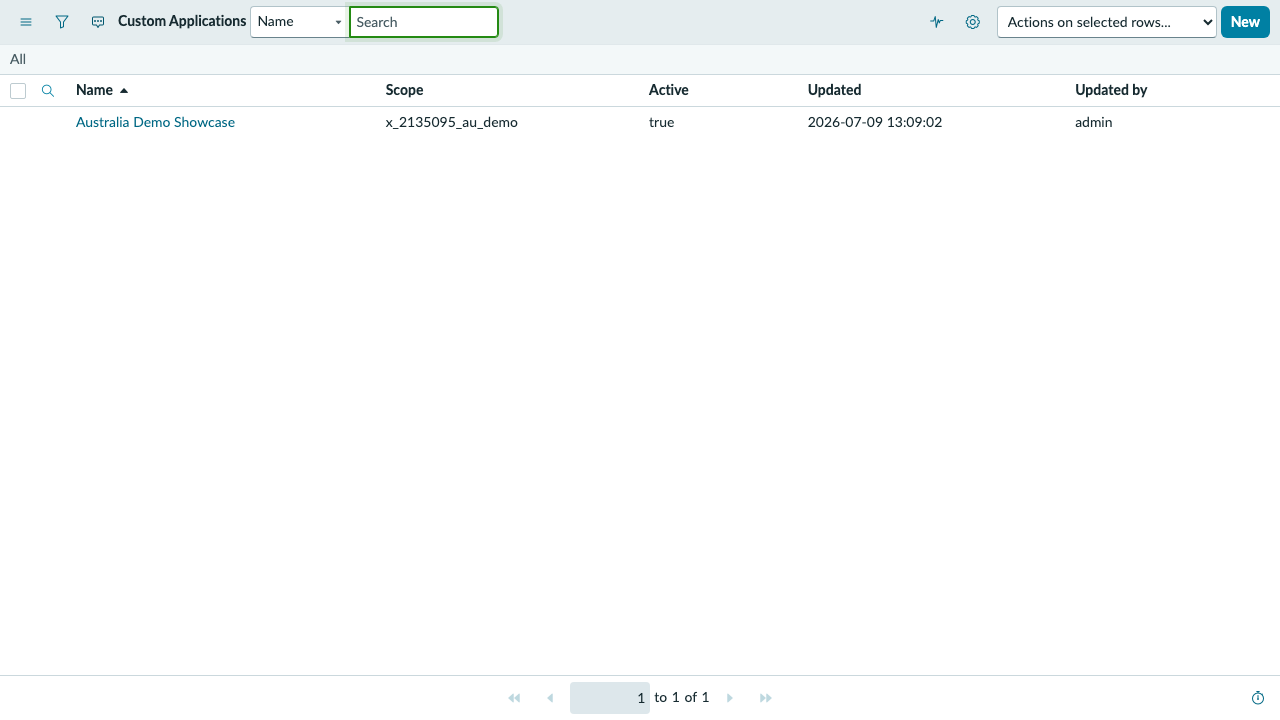
$ snow-cli --profile dev --read-only --output <format> scope list --kind custom-app
The CLI payload contains the same Australia Demo Showcase application and scope visible in the screenshot, in every captured output format.
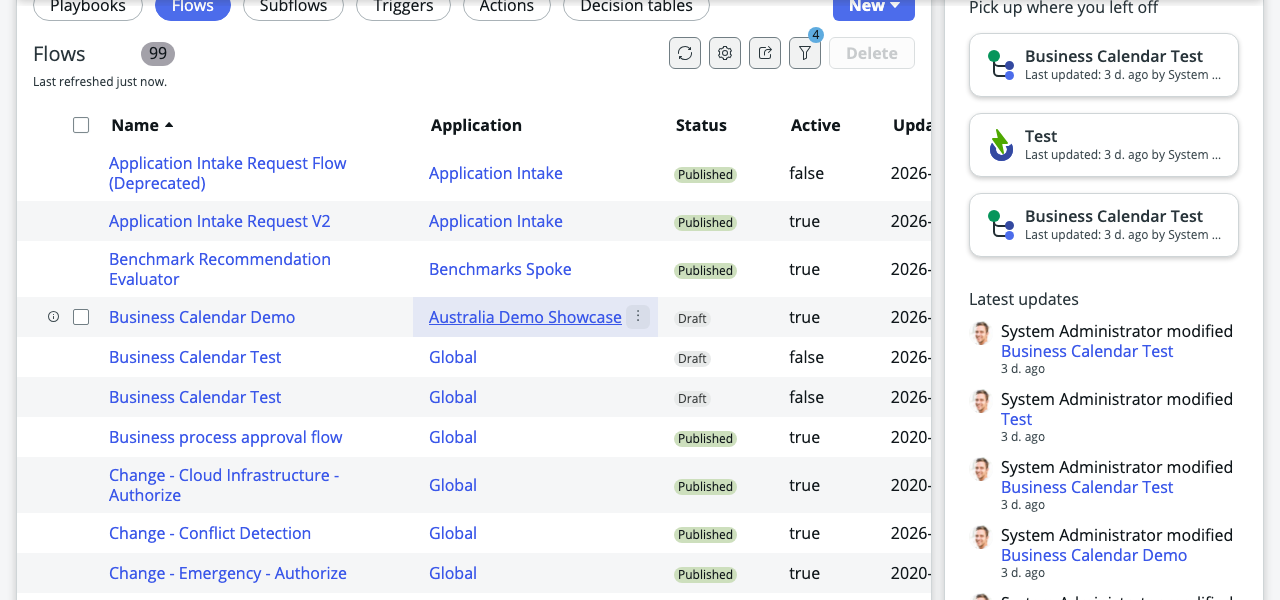
$ snow-cli --profile dev --read-only --output <format> table list sys_hub_flow --query 'nameLIKEBusiness Calendar^ORDERBYname' --fields name,active,status,sys_updated_on --limit 3
Switch among six captured renderings of the same three-record flow query. For this payload, auto selected TOON.
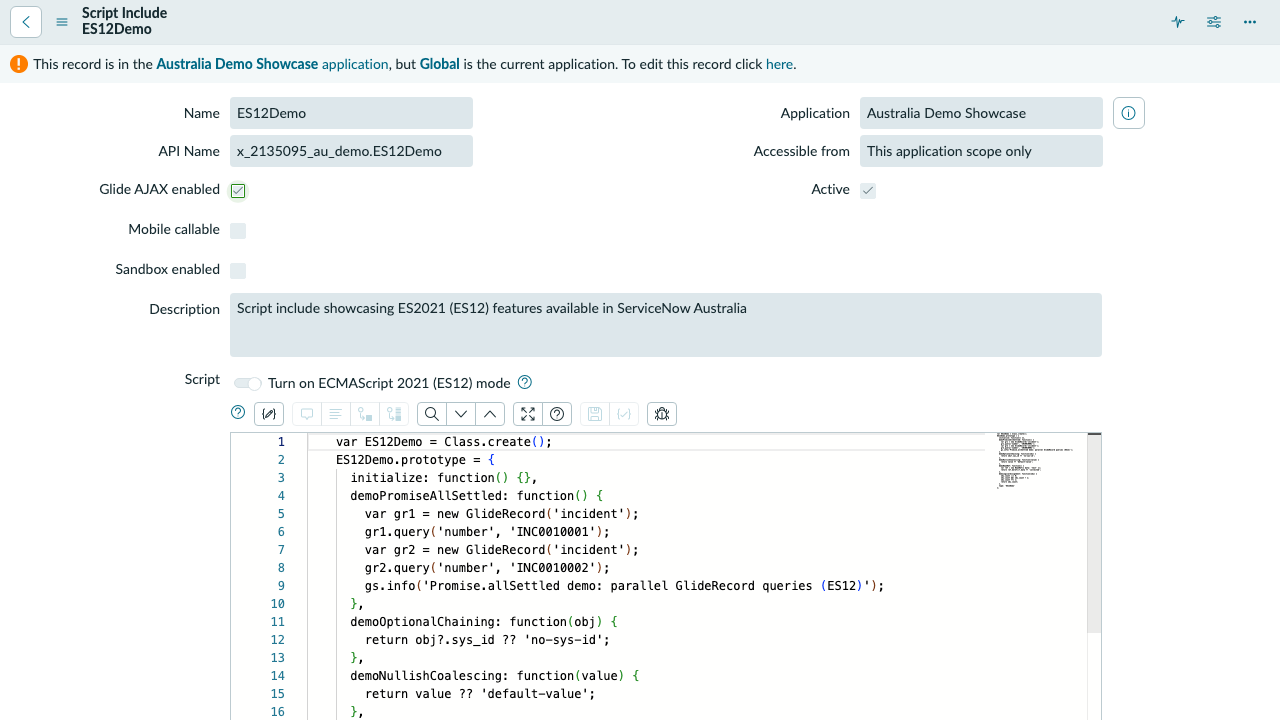
$ snow-cli --profile dev --read-only --output <format> codesearch search ES12Demo --scope x_2135095_au_demo --limit 10
The CLI payload contains the same ES12Demo Script Include visible in the form screenshot, in every captured output format.
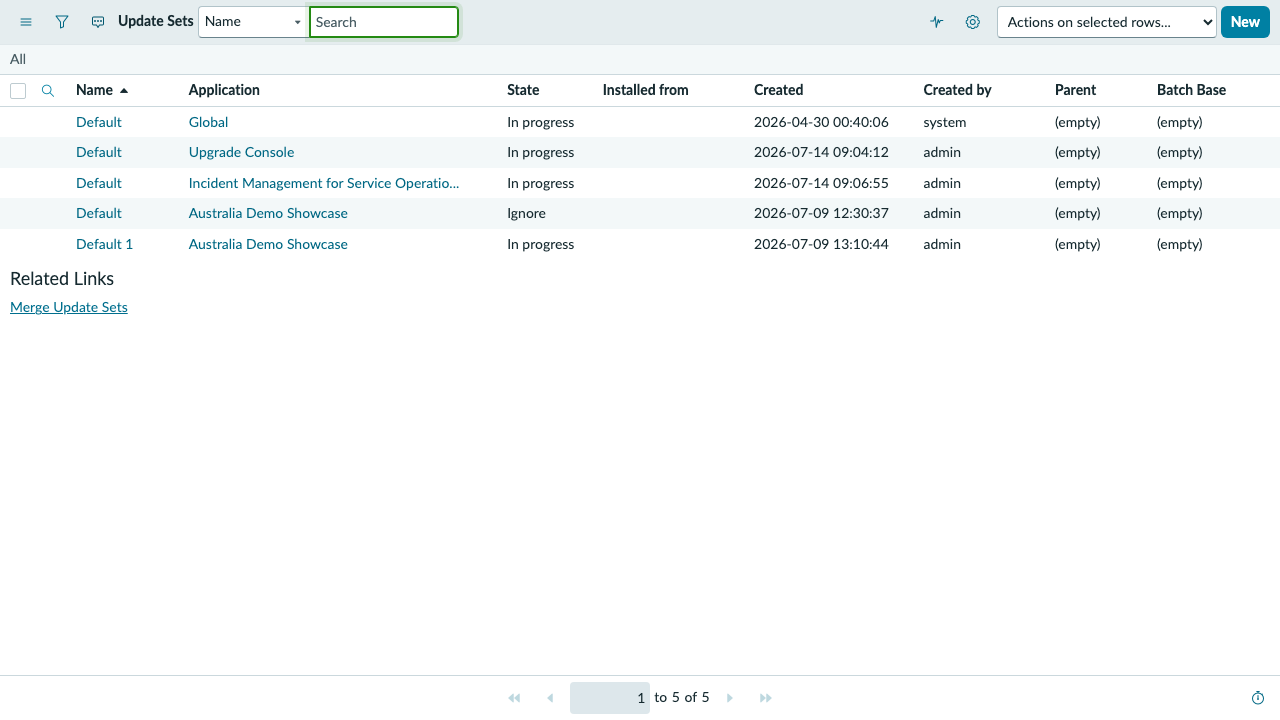
$ snow-cli --profile dev --read-only --output <format> table list sys_update_set --query 'sys_created_on<2026-07-15^ORDERBYDESCsys_created_on' --fields name,application.name,state,sys_created_on,sys_created_by --limit 5
The CLI payload contains the same five update sets visible in the screenshot, including both Australia Demo Showcase rows — in every captured output format.
A bounded agent interface
snow-cli uses the same command surface in an interactive terminal, an agent harness, or a shell pipeline. Instance permissions still determine which ServiceNow records the authenticated identity may read.
--read-only allows the inspection commands shown here while denying table mutations and non-GET raw API requests.
table list defaults to a bounded result and supports explicit --limit, field selection, and encoded queries.
The global --output option supports JSON, JSON Lines, CSV, TOON, text, and automatic format selection.
Start with a read-only review
After installing a release, add a profile for your instance and authenticate. Use an identity whose ServiceNow roles match the access you intend to grant.
$ snow-cli profile add dev \
  --instance <your-instance-url>
$ snow-cli auth login --profile dev